

Configuration
Running the MEU demo
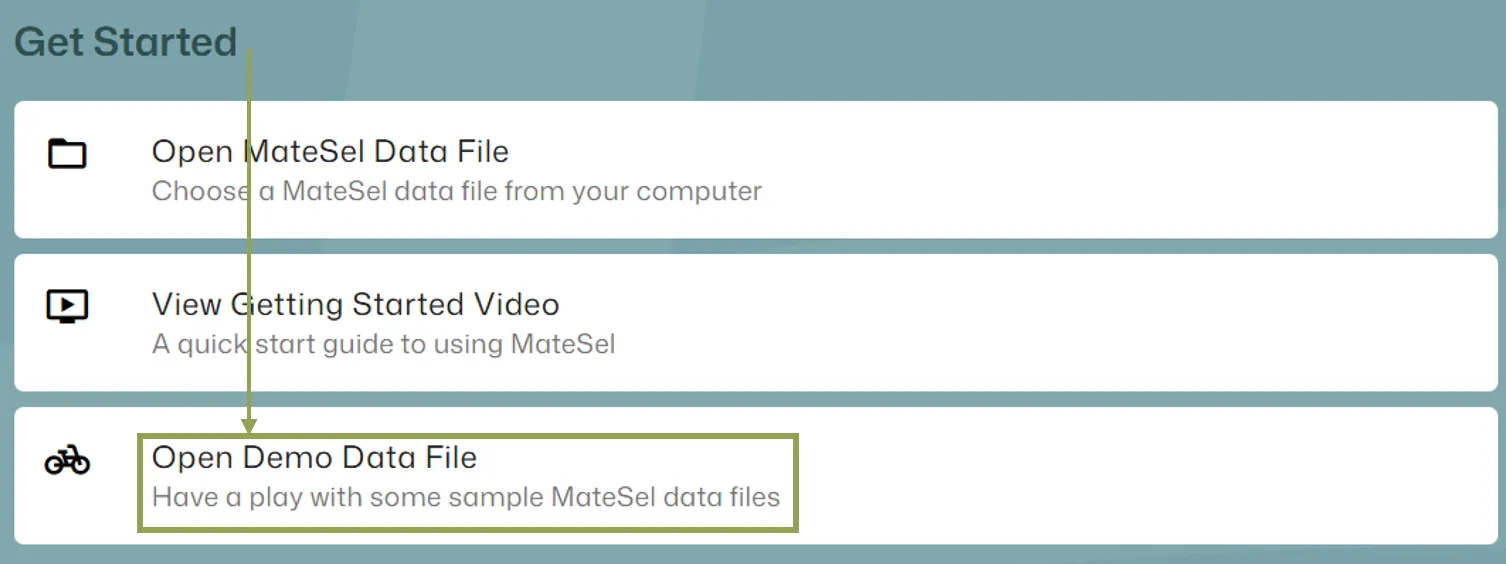
Section titled “Running the MEU demo”To quickly get started with this feature, it is recommended that you try the MEU demo file as you follow the instructions below. You can find the MEU demo file from the home screen:
Main Data File Differences
Section titled “Main Data File Differences”When using the MEU feature, there are no special requirements for your main data file.
Starting the MEU workflow
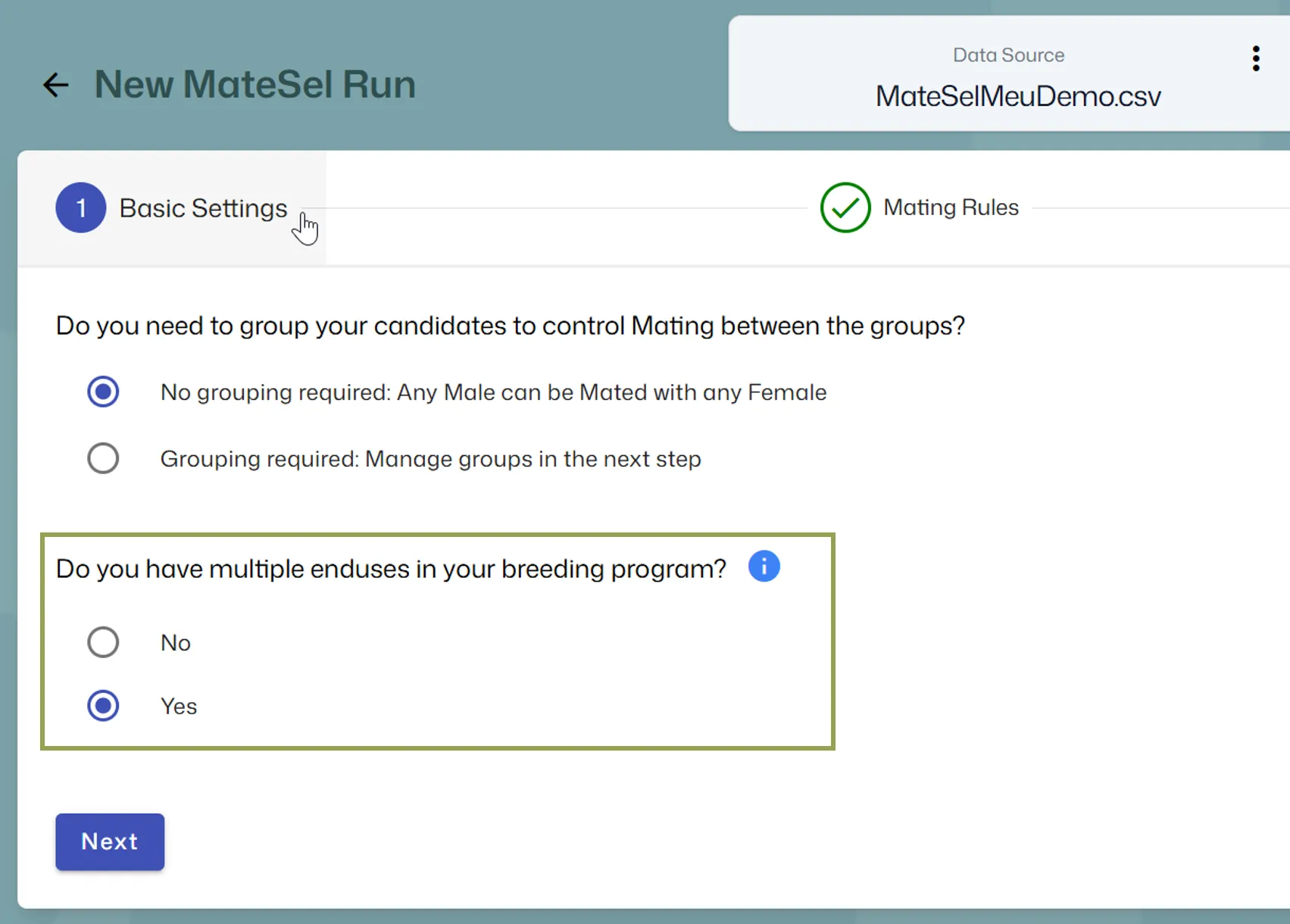
Section titled “Starting the MEU workflow”After your main data file is loaded, you will be given the option to use Multiple EndUses:
Grouping or No Grouping?
Section titled “Grouping or No Grouping?”Most operations would not use grouping and MEU together as MEU effectively creates groups, however, you can use both Multiple EndUses and Grouping simultaneously such that Grouping constraints and different Multiple EndUse targets will both be applied. However, they will be disjointed. This means that, for example, you cannot specify that EndUse 2 matings must come from Group 2 males mated to Group 3 females. However, you can get around this sort of thing quite easily using traits. To force a given group of individuals into EndUse 1, make an extra trait column with only these individuals having positive values. Put a sufficiently big weight on that “trait” for EndUse 1 and these individuals will be used in EndUse 1.
Create MEU
Section titled “Create MEU”To create a MEU, click the Create button. To update a MEU, click the Edit button under the MEU name.
The Create/Update screen has the following inputs:
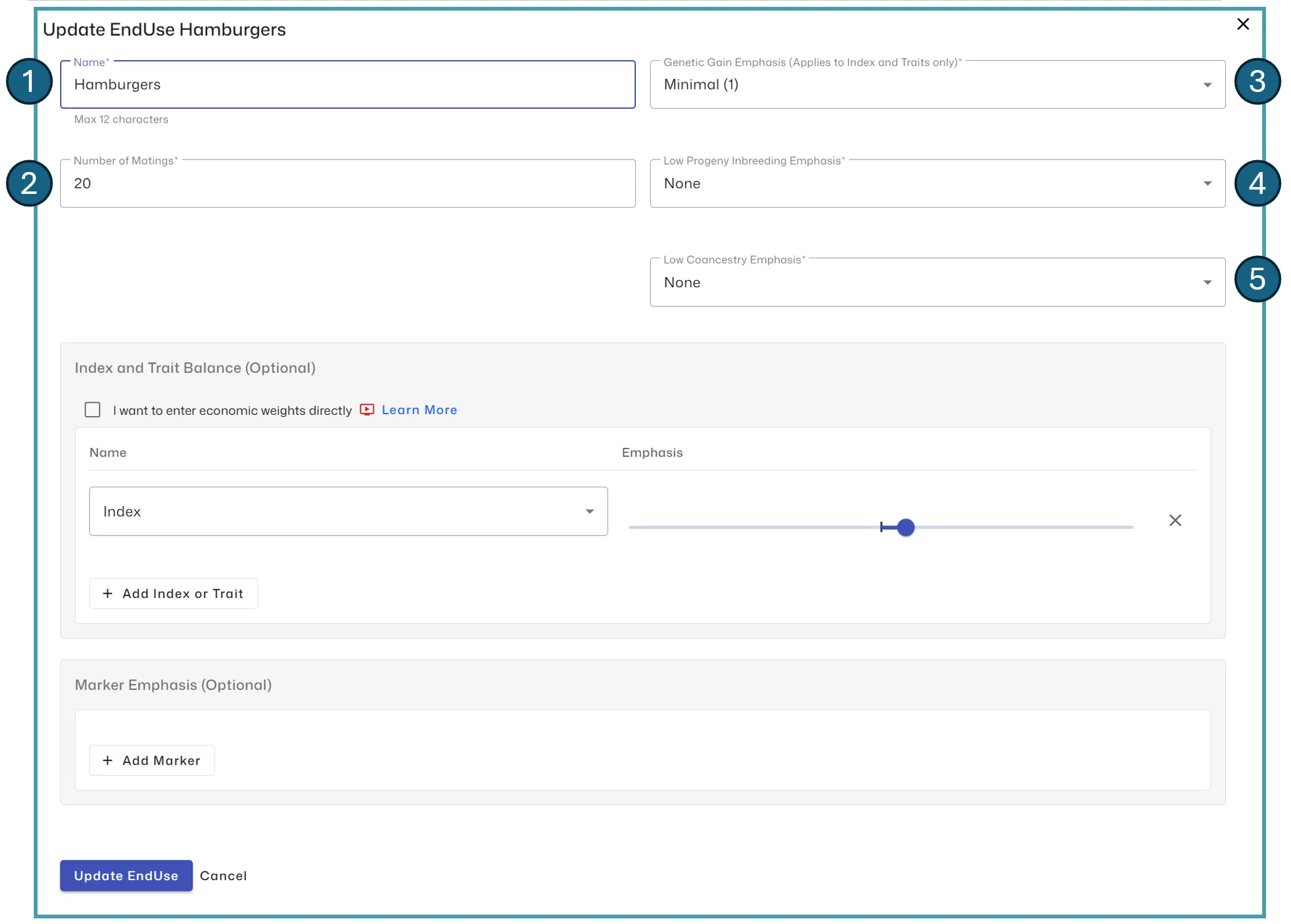
- Name: The name of the EndUse (up to 12 characters)
- Number of Matings: The number of matings you require for this EndUse
- Genetic Gain Emphasis: You can optionally place an emphasis on each EndUse Index, however, you must specify an emphasis for at least one EndUse so we can build the Frontier. Please see the section Index and Trait Balance below to learn about EndUse Indices and other important details.
- Low Progeny Inbreeding Emphasis: Progeny inbreeding could be more important in some regions or markets. You can optionally place an emphasis on lower progeny inbreeding outcomes here.
- Low Coancestry Emphasis: You can optionally place an emphasis on lower coancestry outcomes here. For example, for the Nucleus EndUse you might place a higher emphasis than for a terminal EndUse that doesn’t need to consider diversity.
Index and Trait Balance
Section titled “Index and Trait Balance”The simple case: If the trait direction for this EndUse is represented by the supplied Index alone, then simply add Index as the sole entry with a positive emphasis.
If you have specific trait profiles that this EndUse should target, then we introduce the concept of an EndUse Index…
There are two options to specify an EndUse Index:
-
Enter economic weights directly: If you have an economic weight calculated for each trait then you can use this option to enter the raw weight ($ per trait unit). In general you would have a zero weighting on index, as you are essentially specifying a new index for this EndUse and need to ‘delete’ the old index. Alternatively, use an economic weighting of 1 for the index and specify marginal changes in economic weight for each trait.
-
Enter an emphasis relative to other traits and index: Place upward or downward pressure on the trait or index. Relative magnitude of the emphasis you place on each trait within an EndUse only matters within each EndUse, not between EndUses, because EndUse indices are scaled within the program to range 0 to 1. For example, if IMFat is the only index/trait with any emphasis, then if we changed the IMFat emphasis from Minimal to Strong in a given EndUse, there would be no impact. Likewise, if we doubled all the weightings in a another EndUse, there would be no impact. If you want to increase the emphasis on genetic merit for an EndUse, give it a stronger relative emphasis for Genetic Merit, as mentioned above in point 3 above Genetic Gain Emphasis.
Marker Emphasis
Section titled “Marker Emphasis”The Emphasis placed on markers here are not scaled in the same manner as the trait weightings mentioned in the last section, and they are not applied during Frontier building. Use these emphasis controls to, for example:
- Increase the frequency of favourable alleles
- Decrease the occurrence of unwanted genotypes